Release in August 2025
As more teams scale Didit across their Jira and Confluence sites, two needs kept coming up: a fast way to find the right checklist when there are hundreds of them, and a clean story for programmatic access. Both ship this month.
What’s new and improved?
Filter Checklist Instances NEW
The Didit hub now has a fully fledged filter bar for checklist instances. Whether you’re auditing for compliance, tracking onboarding progress, or just trying to find the one checklist you started yesterday, you can narrow the list down quickly with any combination of the following filters.
- Status — Show only finished or unfinished checklists. Great for “what’s still in progress on the team this week?”
- Signature — Limit to checklists that require a signature, and optionally only those that are still unsigned. Perfect for compliance audits.
- Creation date — Pick a single day or a date range to see checklists created in that window.
- Template — Show only checklists created from a specific template. Likely the filter you’ll reach for the most as your template library grows.
- Metadata — Available in the customer portal / external web view. Pick a template, then filter by any metadata field defined on it (e.g. “Owner = Alice”).
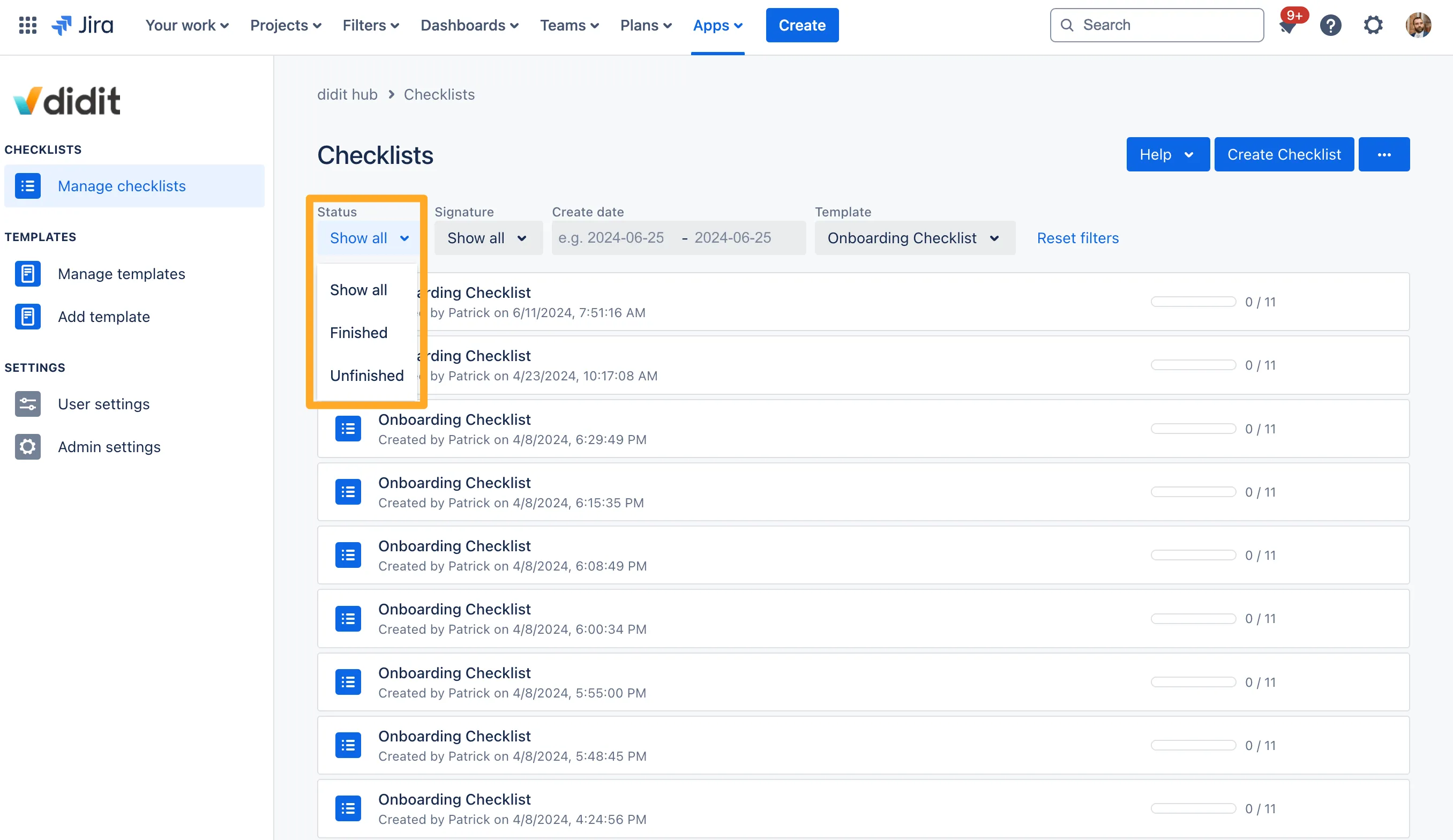
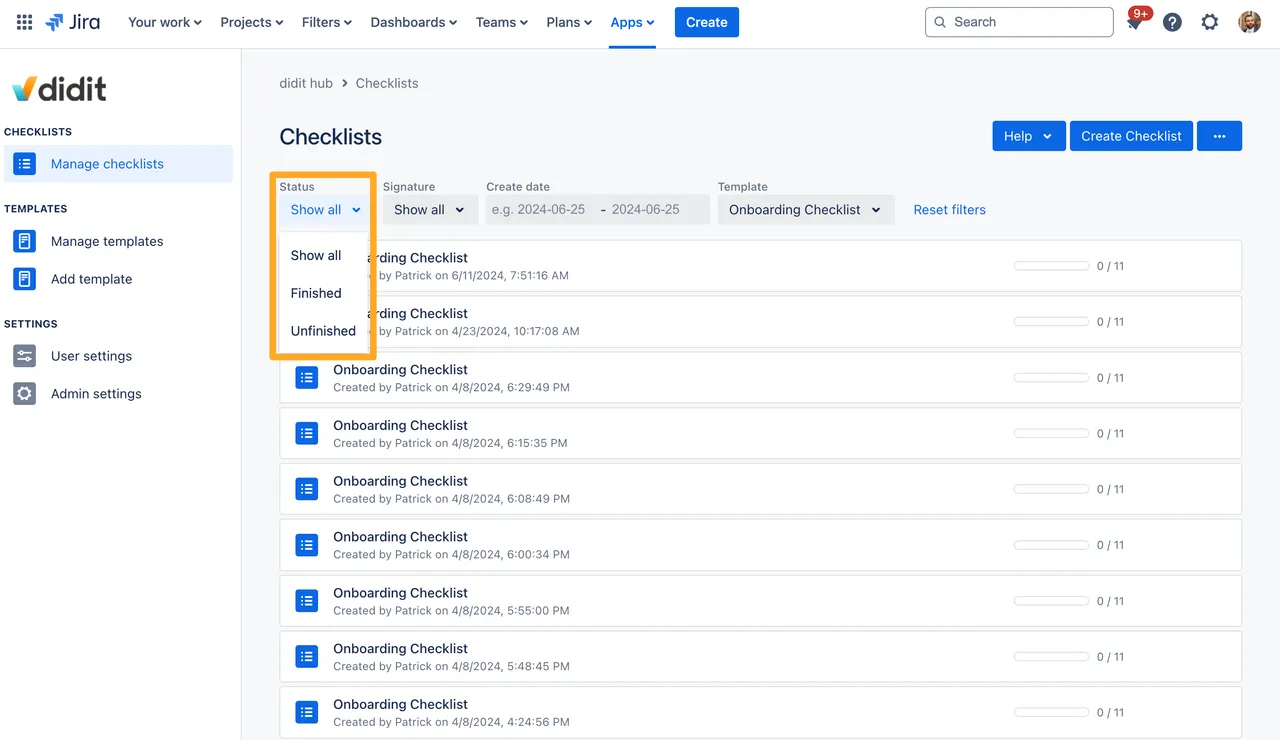
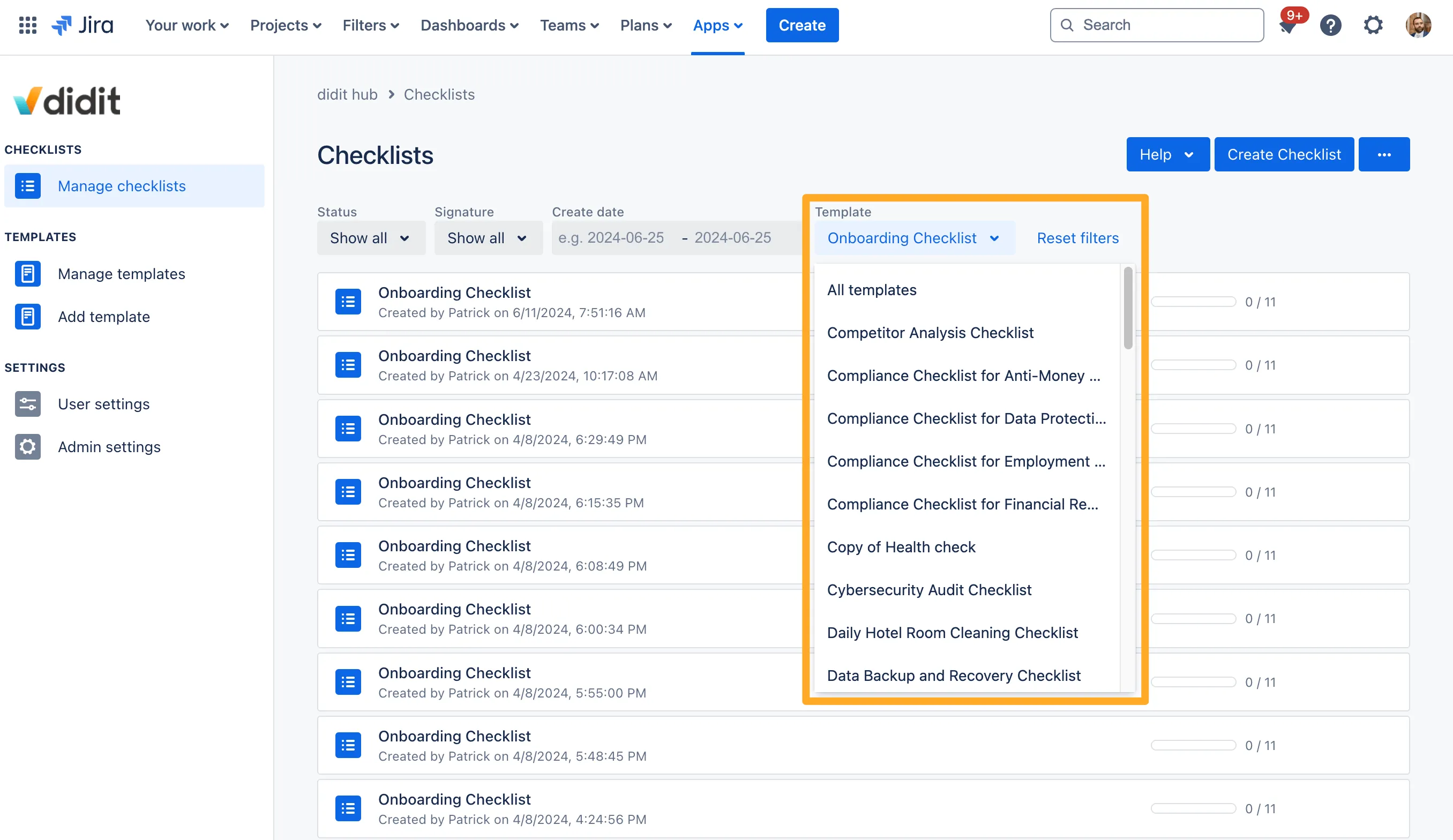
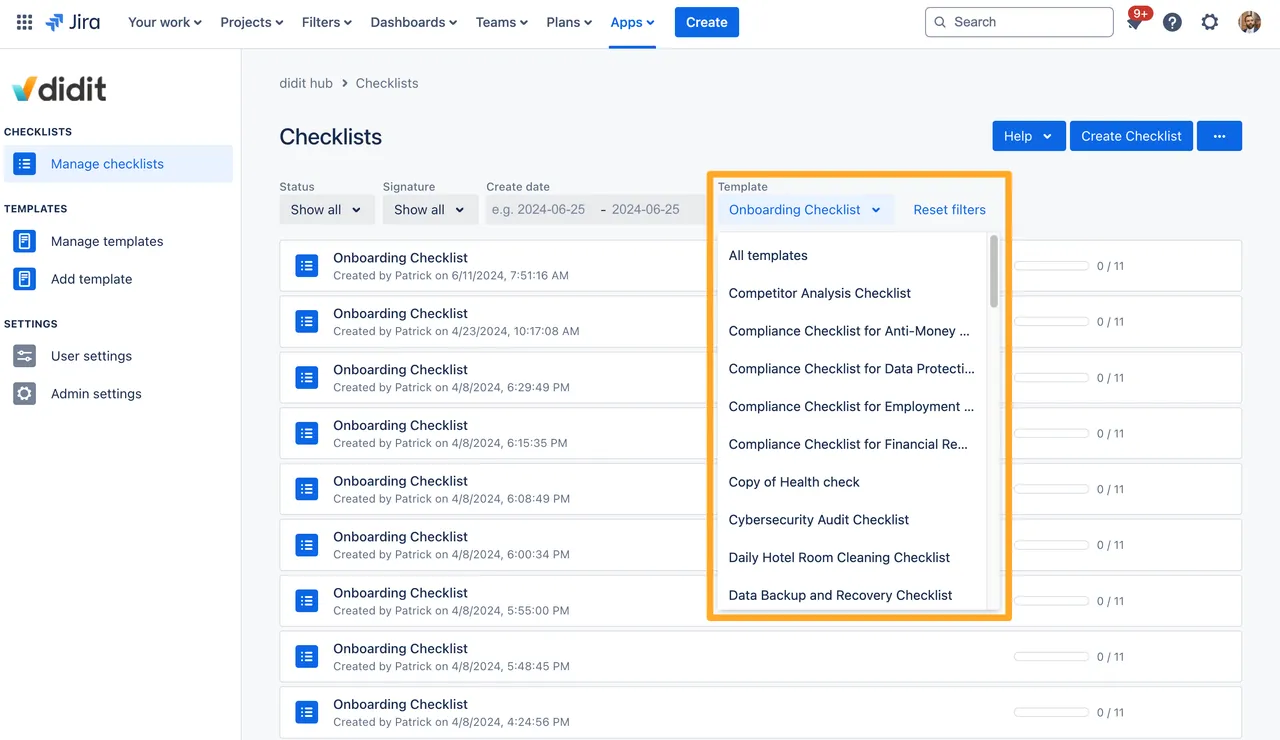
A few details worth calling out:
- Filters persist per device: Once you set them, your filters stick around between sessions on the same device, so you don’t rebuild them every time you open the hub.
- Over-filter detection: If your combination of filters returns nothing, Didit tells you so you can adjust — no more silent empty states.
- One-click reset: A “Reset filters” link clears everything at once.
For the full breakdown, head to the filtering checklist instances page.
Didit Checklist API & API Key Management NEW
We’ve shipped the public Didit Checklist API along with first-class API key management for both end users and admins. If you’ve ever wanted to push checklist data into a reporting dashboard, drive checklists from an external system, or build your own internal tools on top of Didit, this is the release for you.
- Self-service API keys: Any Jira or Confluence user with a license can create an API key from avatar > Didit - User Settings > User API keys. The key is shown once on creation — copy it somewhere safe.
- Centralized admin view: Jira and Confluence admins can see and revoke every API key in the instance from Apps > Didit Checklists > API Keys. Keys are never visible in plaintext, even to admins.
- Same permission model as the UI: API calls inherit the user’s normal Didit permissions. If a user can’t see a template or checklist in the hub, they can’t see it through the API either.
- Automatic cleanup on user deactivation: When a user is deactivated in Jira or Confluence, their API key disappears from the admin list automatically.
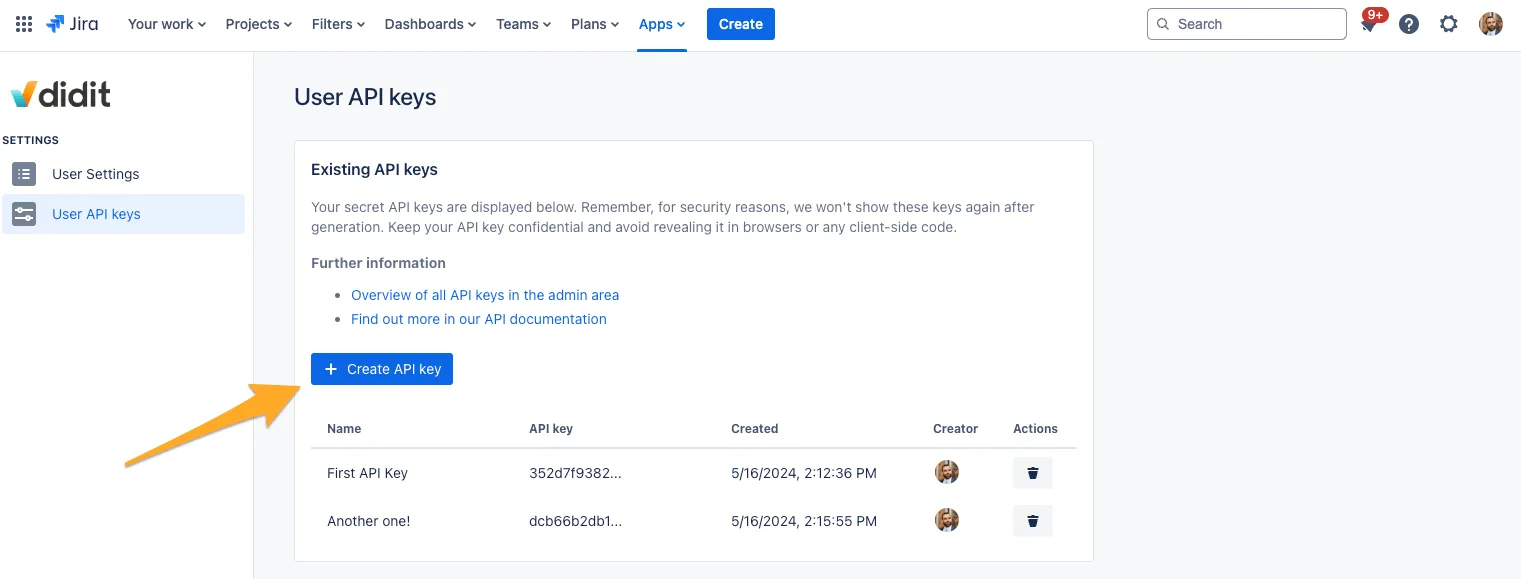
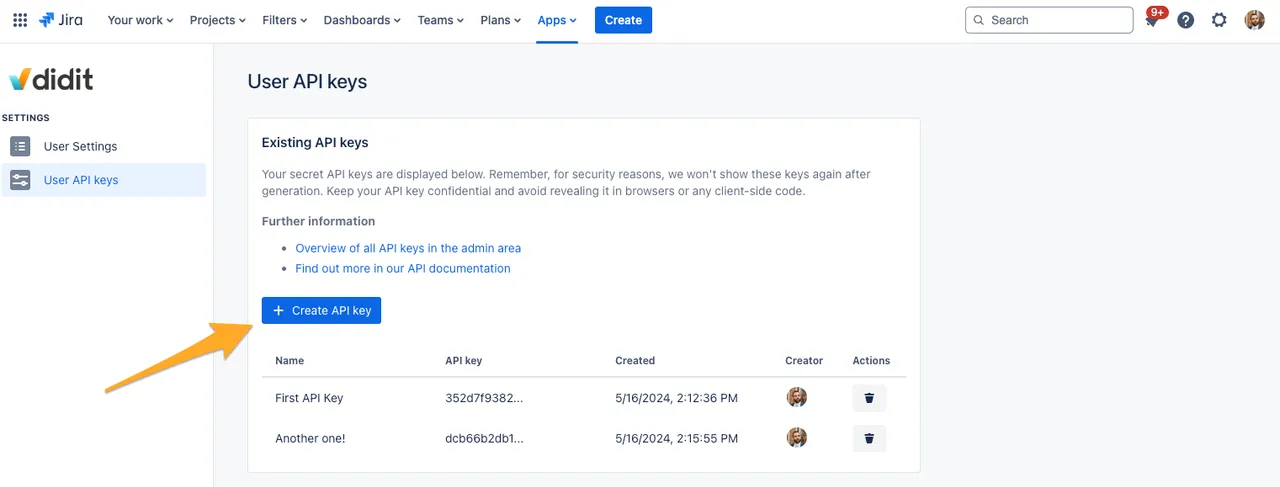
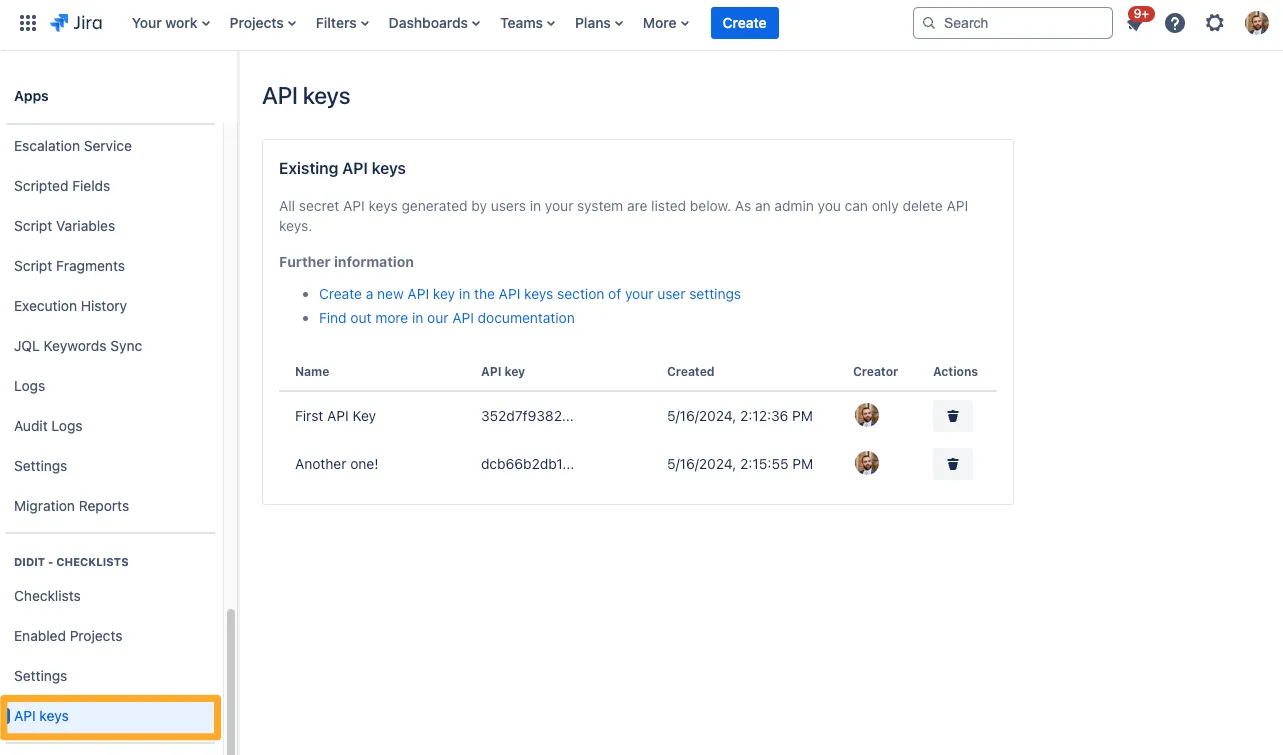
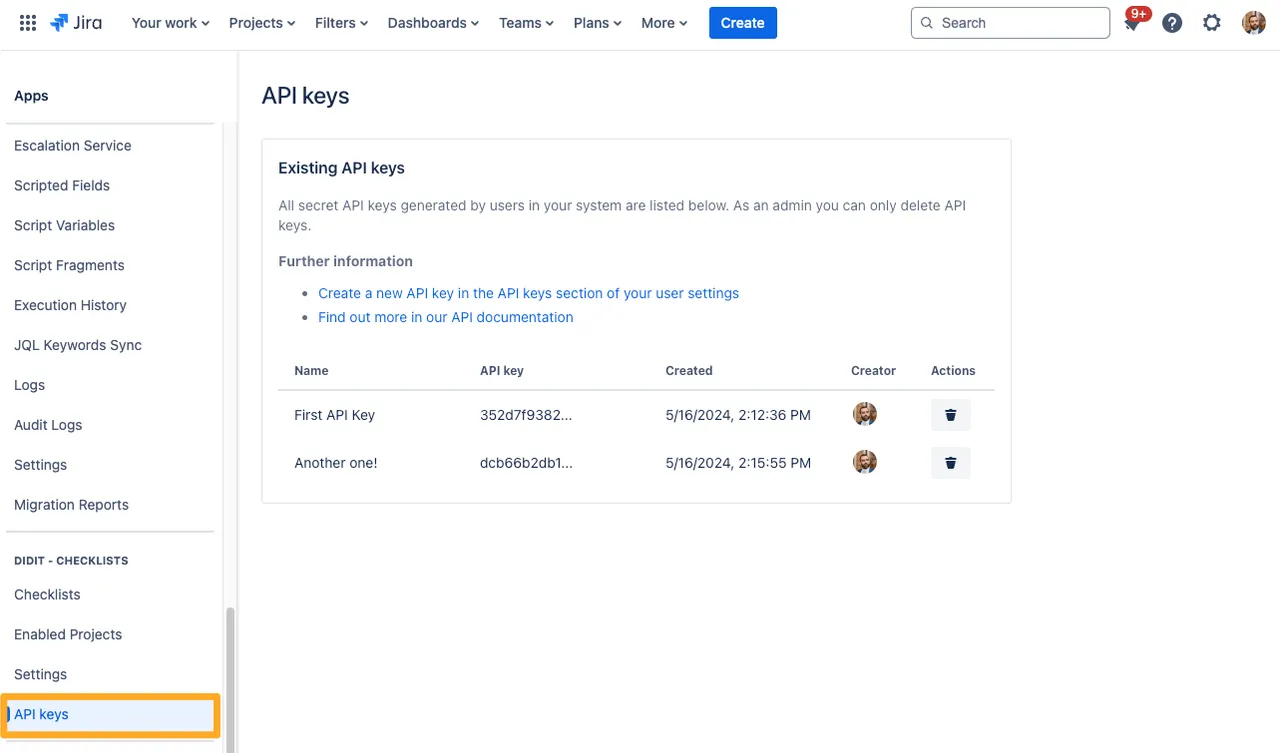
To get started, see the Didit Checklist API overview, the step-by-step how to create an API key guide, and our API references page with usage tutorials.
Auth tip: When you authorize a request, prefix the key with the literal string
ApiKey(with the trailing space). For example:ApiKey abc123…. The space is required.
Hide Transitions Based on Didit Metadata NEW
Didit checklists already supported hiding a Jira transition based on whether the whole checklist was completed. With this release we’ve extended that pattern to the Didit metadata field, so you can drive workflow gating from any metadata key/value collected inside a checklist.
Two patterns are supported out of the box:
- Specific metadata value required: Only show the transition if a metadata field has an exact value. For example, in an onboarding workflow, only show the “Provision server admin access” transition if the checklist’s
Job titlemetadata equalsIT Admin. - Metadata simply has to be filled in: Use a
!=comparison against an empty value to require any non-empty entry before the transition is allowed. Useful for any “this field must be answered before moving on” scenario.
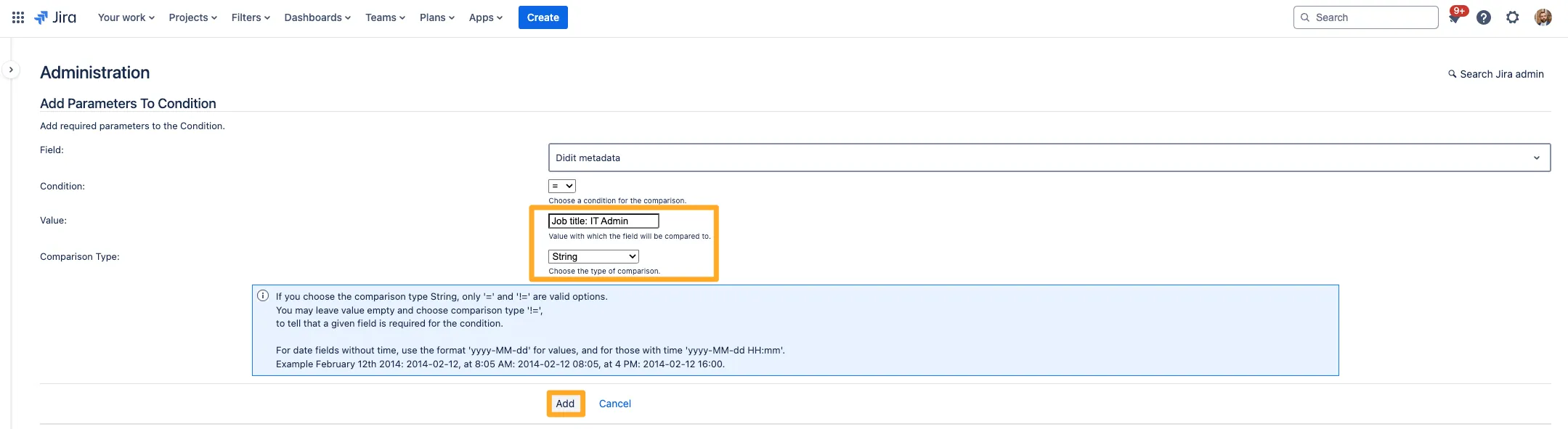

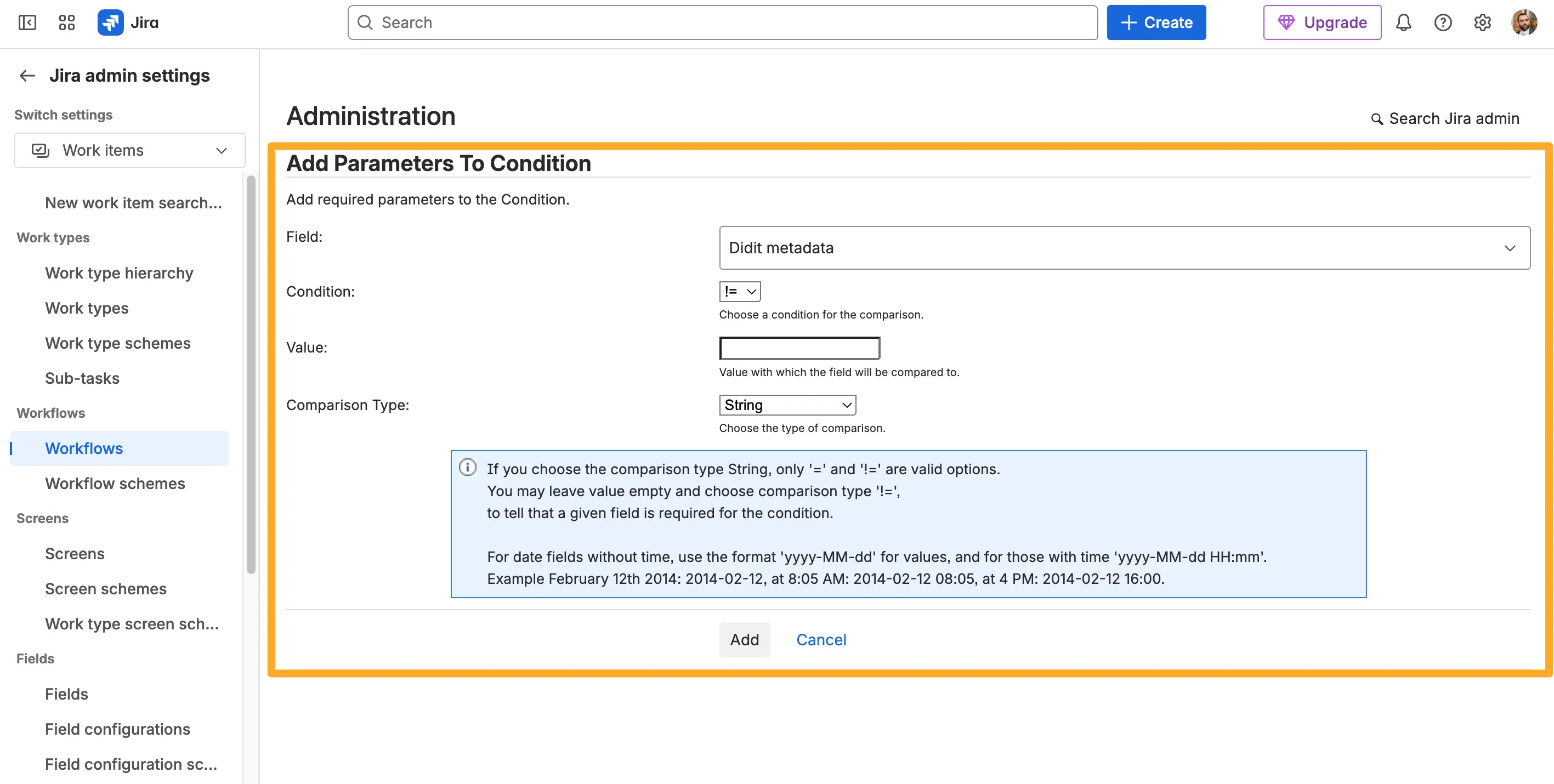
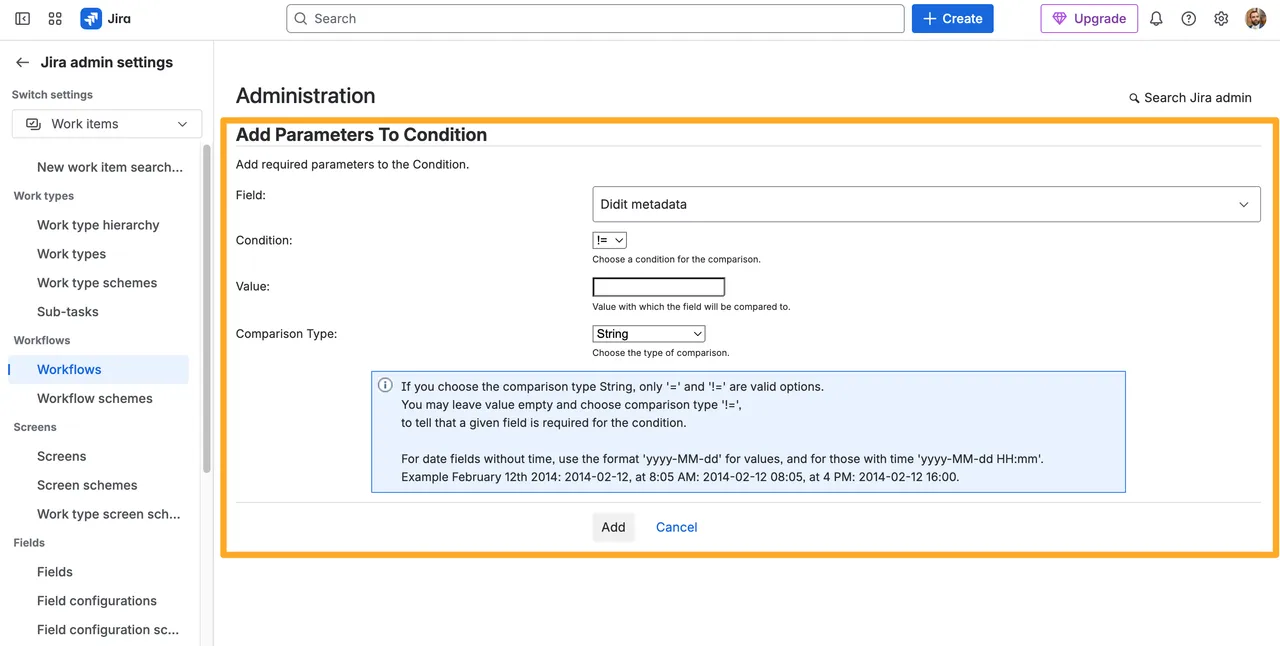
For the full step-by-step setup, head to the hide transitions based on the Didit checklist metadata field page.
More Automation Actions for the “Checklist Completed” Field IMPROVED
The “Didit checklist completed” field has been a popular trigger for Jira automation rules — but until now most teams used it for one thing: transitioning the parent issue to “Done.” We’ve expanded the recipe set documented in this release so you can chain richer automations off the same trigger.
In addition to transitioning the issue, you can now wire up:
-
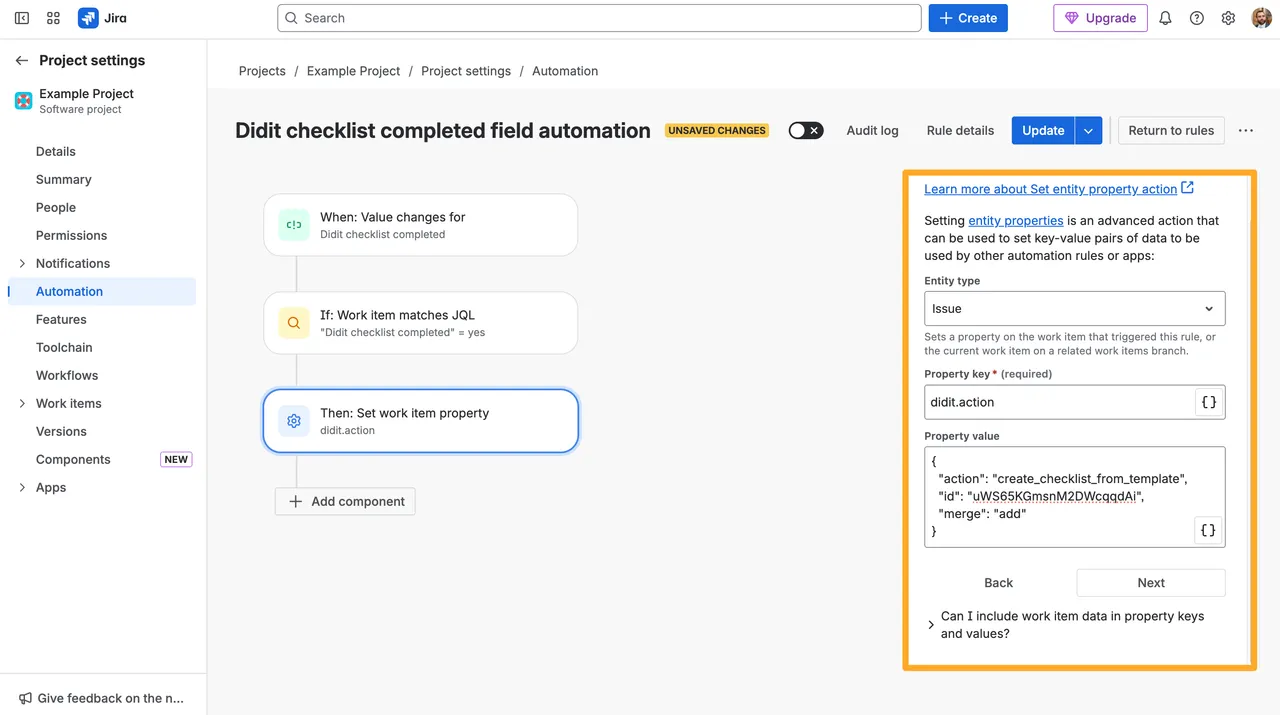
Add another checklist to the issue — On completion, set the entity property
didit.actionwith a JSON payload to attach a new Didit checklist (e.g. swap a “Pre-flight” checklist for a “Post-flight” one as soon as the first one is done). Pair it with the Didit automation wizard to generate the JSON for you.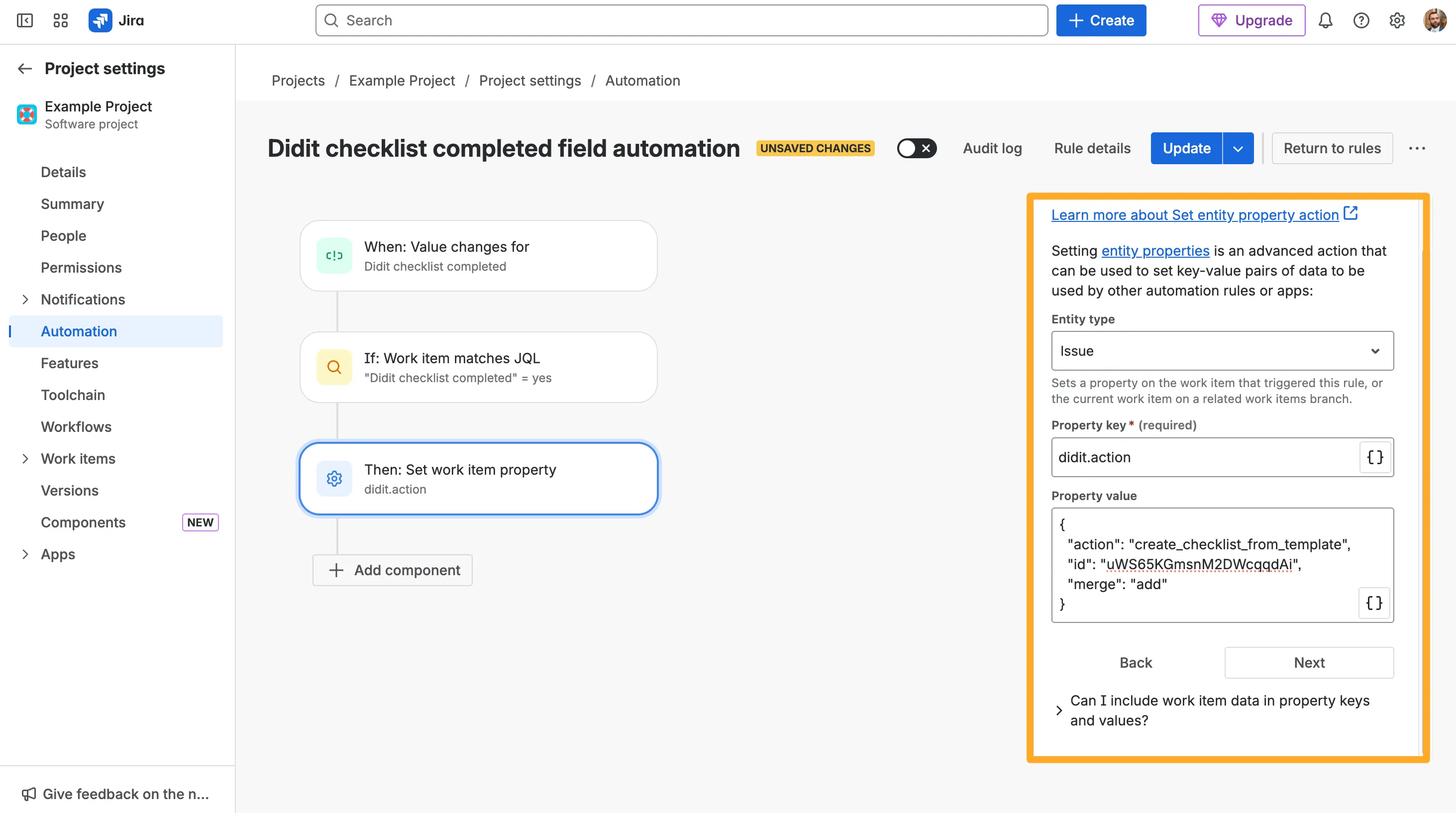
-
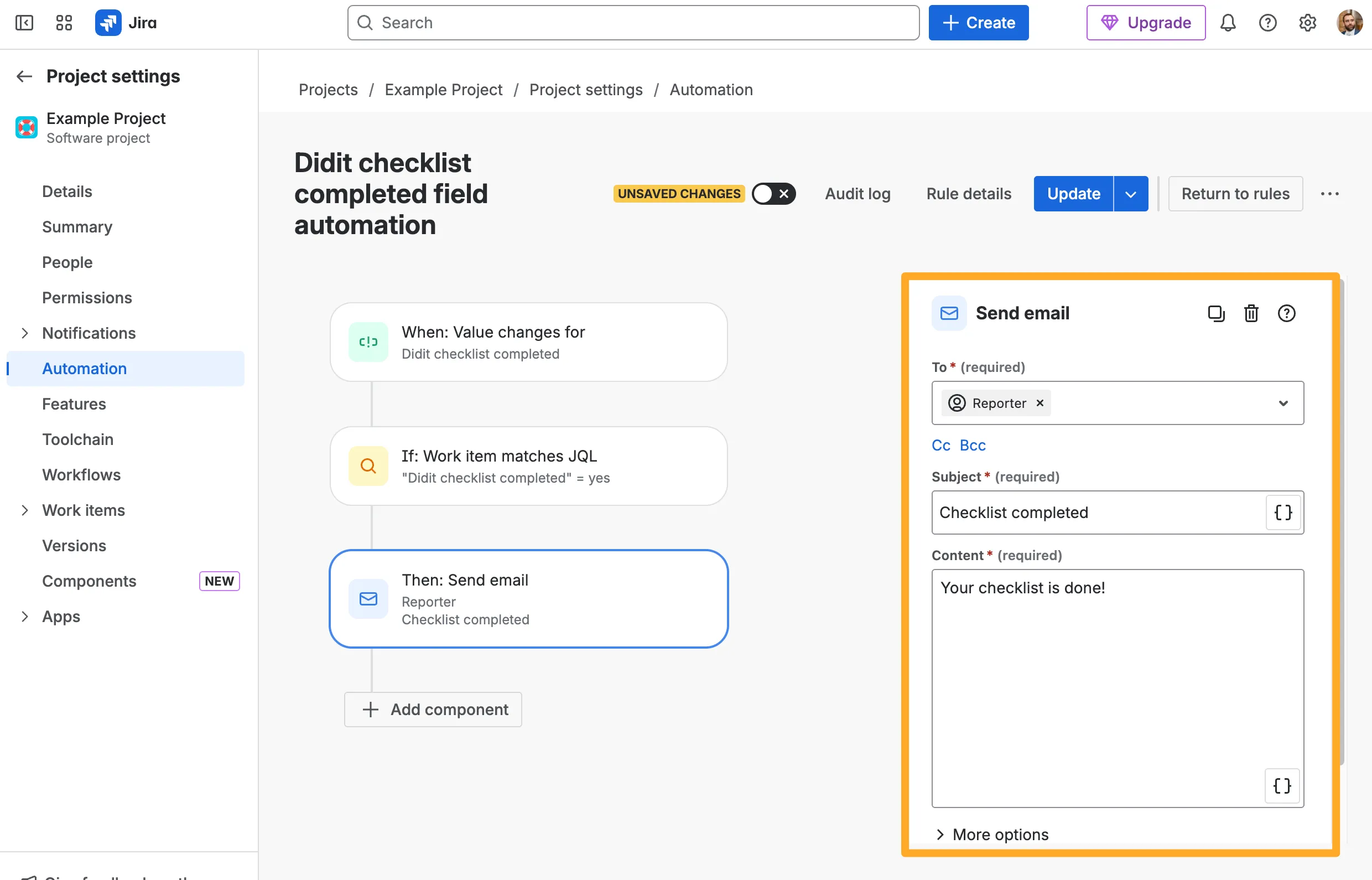
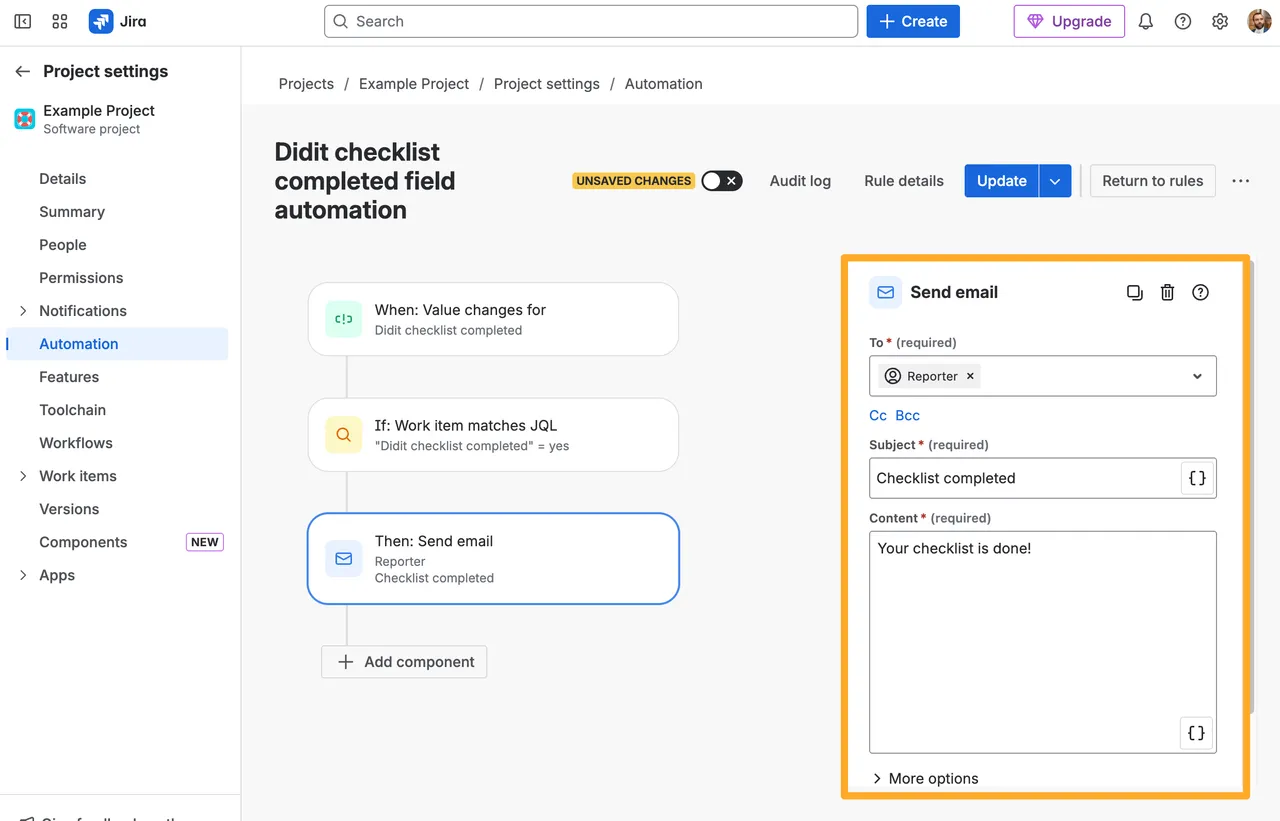
Send an email to the reporter — Use Jira’s “Send email” action with Reporter in the To field to notify them automatically. Great for compliance handoffs and customer-facing checklists.
The full set of recipes — including the original “transition the issue” example — is on the how to trigger an action with the Didit checklist completed field page.
User Variant for Metadata Fields NEW
Until now, every metadata field on a checklist template was a free-form text field. With this release, you can mark a metadata field as a user field — perfect for things like “Owner”, “Reviewer”, or “Assignee” where the value should be a real person rather than a typed-in name.
- Pick from your team: When filling in a user metadata field inside Jira or Confluence, you get a searchable list of users from that workspace. No more typos or inconsistent spellings.
- Works outside Atlassian too: When a checklist is opened from outside Jira or Confluence (e.g. via a public link or the customer portal), the same field falls back to a regular text input so external collaborators can still fill it in.
- Required, placeholders, locked when finished: User metadata can be marked as required (with a clear error if it’s left empty), supports placeholder text, and locks once the checklist is finished — just like any other metadata field.
- Shows up everywhere metadata does: The selected user appears in the audit log, is included in PDF exports, and can be used by the metadata-driven workflow conditions and automations shipped earlier in August.
Smarter Convert-to-Subtask IMPROVED
The “Convert task to Jira issue / subtask” feature got a meaningful tune-up:
- Parent heading carried over: When you convert a single task that lives under a heading, the new subtask now includes the parent heading in its description, so the context isn’t lost.
- Metadata included in the description: If the checklist has metadata (including the new user variant), it’s formatted into the subtask description automatically — no more re-typing context for the assignee.
- Multiple conversions, fixed linking: Converting many tasks at once previously connected the wrong subtasks back to the wrong tasks in some scenarios. The linking logic has been unified and the bug is fixed.
- Yes/No tasks no longer auto-checked on bulk convert: To match single-task behaviour, yes/no tasks are no longer marked complete just because a bulk convert was triggered.
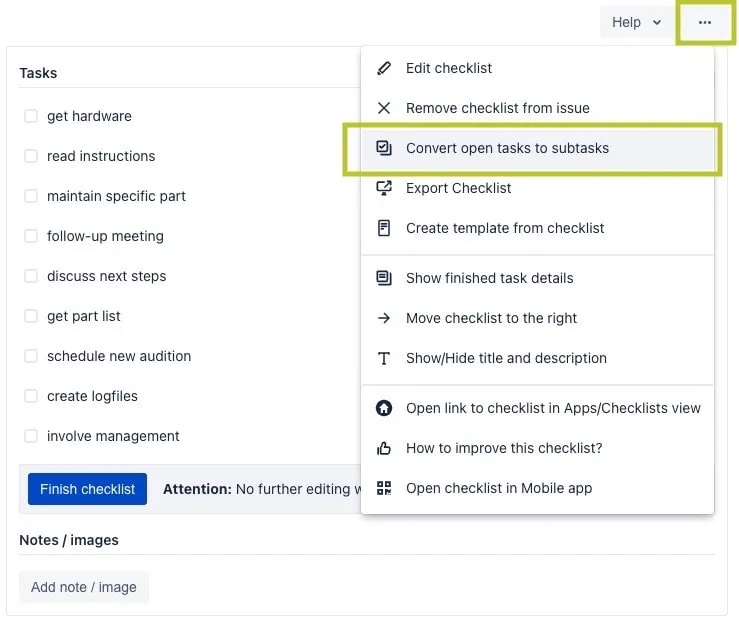
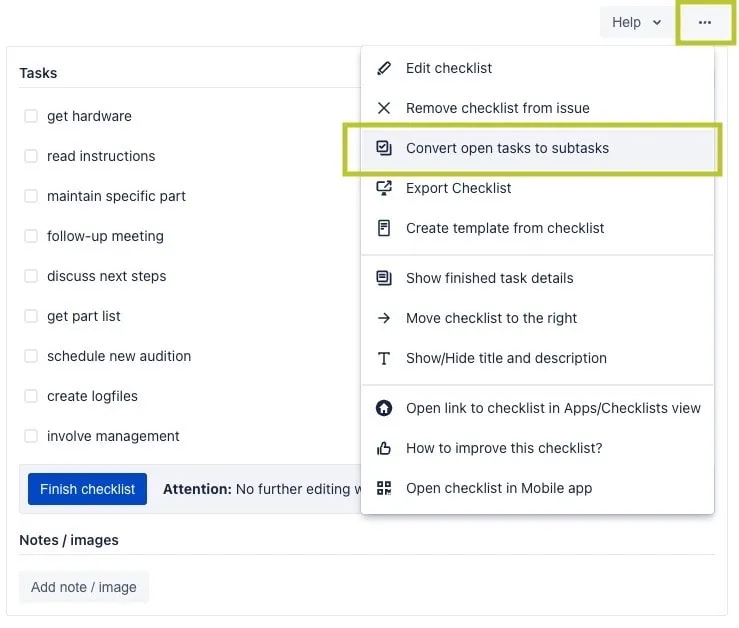
For the full feature page, see how to convert checklist tasks into Jira issues.
Smarter Due Date Display IMPROVED
When a checklist task is linked to a Jira issue, Didit now hides the issue’s due date if that issue is already in a Done status — so finished work doesn’t clutter the checklist view with red “overdue” hints. To handle checklists that span multiple projects, Didit loads all configured “Done” statuses across each linked project, not just the current one.