Release in December 2025
December was a polish-and-harden release on the back of August’s larger feature drops — particularly the public API and the new user variant for metadata.
What’s new and improved?
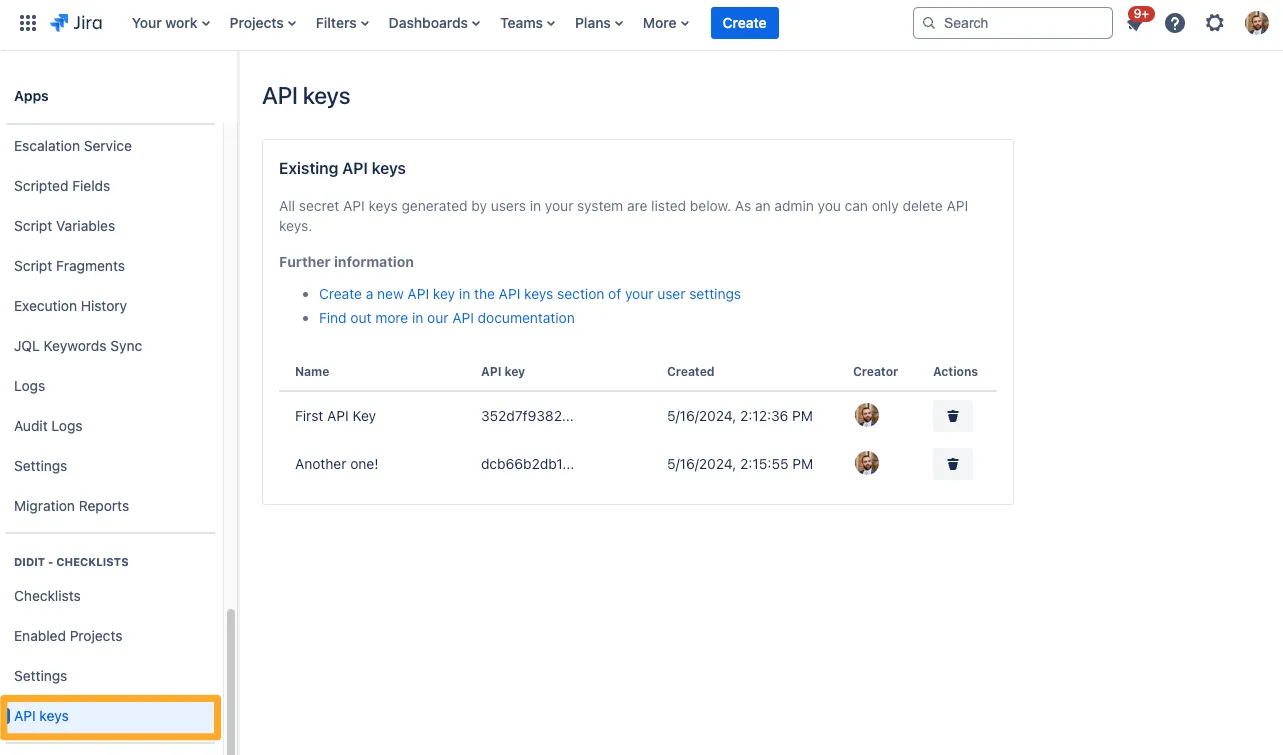
Centralized API Key Admin View IMPROVED
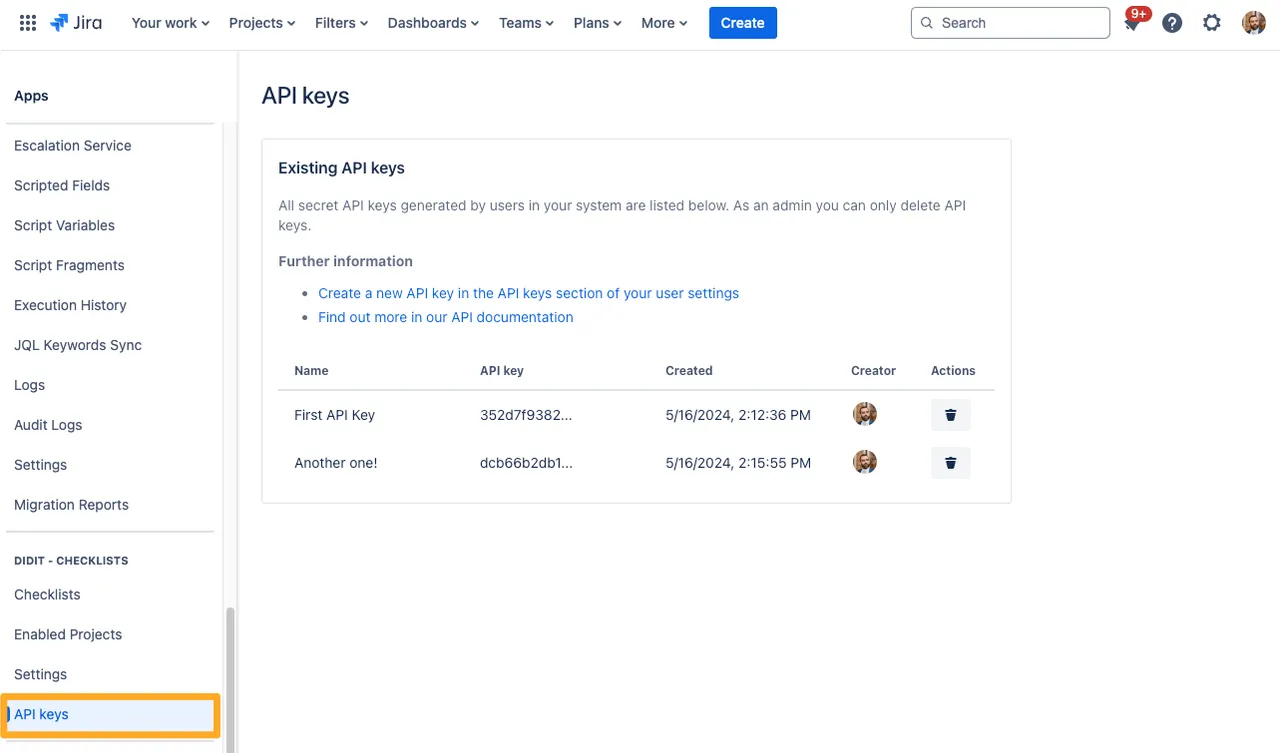
The Didit Checklist API admin page now shows every API key that has been created in your instance — across all users — in a single list. Previously, admins could only see a partial slice. The page is reachable from Apps > Didit Checklists > API Keys in the Jira or Confluence admin section, and from there an admin can revoke any key.
See the Didit Checklist API overview for the full picture.
Tighter API Security for Deactivated Users IMPROVED
If a user is deactivated in Jira or Confluence, any API key they previously created is now immediately rejected the next time it’s used. Combined with the existing automatic cleanup that removes deactivated users’ keys from the admin list, this closes the window where a stale key could still be used after the user lost access.
Override Checklist Permissions in Jira Work Item View NEW
There’s a new Jira-only global setting that lets the Jira issue’s own permission model take over for checklists displayed inside the work item view. The exact label and copy in the admin UI are:
Override checklist permissions in work item view When you turn this setting on, the checklist permissions will be overridden in Jira’s work item view by Jira permissions. So if a user can see a work item, they will be able to see any connected checklists, even if they normally would not.
Attention: This will only work in the work item view, a checklist’s permissions will be checked in any other view.
What this unlocks:
- One source of truth for “who can see this issue”: If a teammate already has Jira permission to see a work item, they automatically see — and can interact with — the checklists attached to it. No second permission system to maintain.
- Restrictions still apply outside the issue view: Importantly, the override is scoped to the work item view only. The Didit hub, public links, and the customer portal continue to enforce the checklist’s own permission settings, so sensitive templates aren’t broadly exposed by accident.
- Live in the global admin settings: Jira admins can flip the toggle in Apps > Didit Checklists > Settings under “Override checklist permissions in work item view.” It defaults to on for new instances; existing instances keep their current behaviour until an admin changes it.
- Editing works in-context too: Updating tasks, skipping/unskipping, and adding notes all work for any teammate who can see the work item — not just the people on the checklist’s permission list.