Check or uncheck all tasks
Check every open task at once, or start a checklist over by opening all of its tasks again. Both work in Jira, in Confluence and in the Didit hub.
-
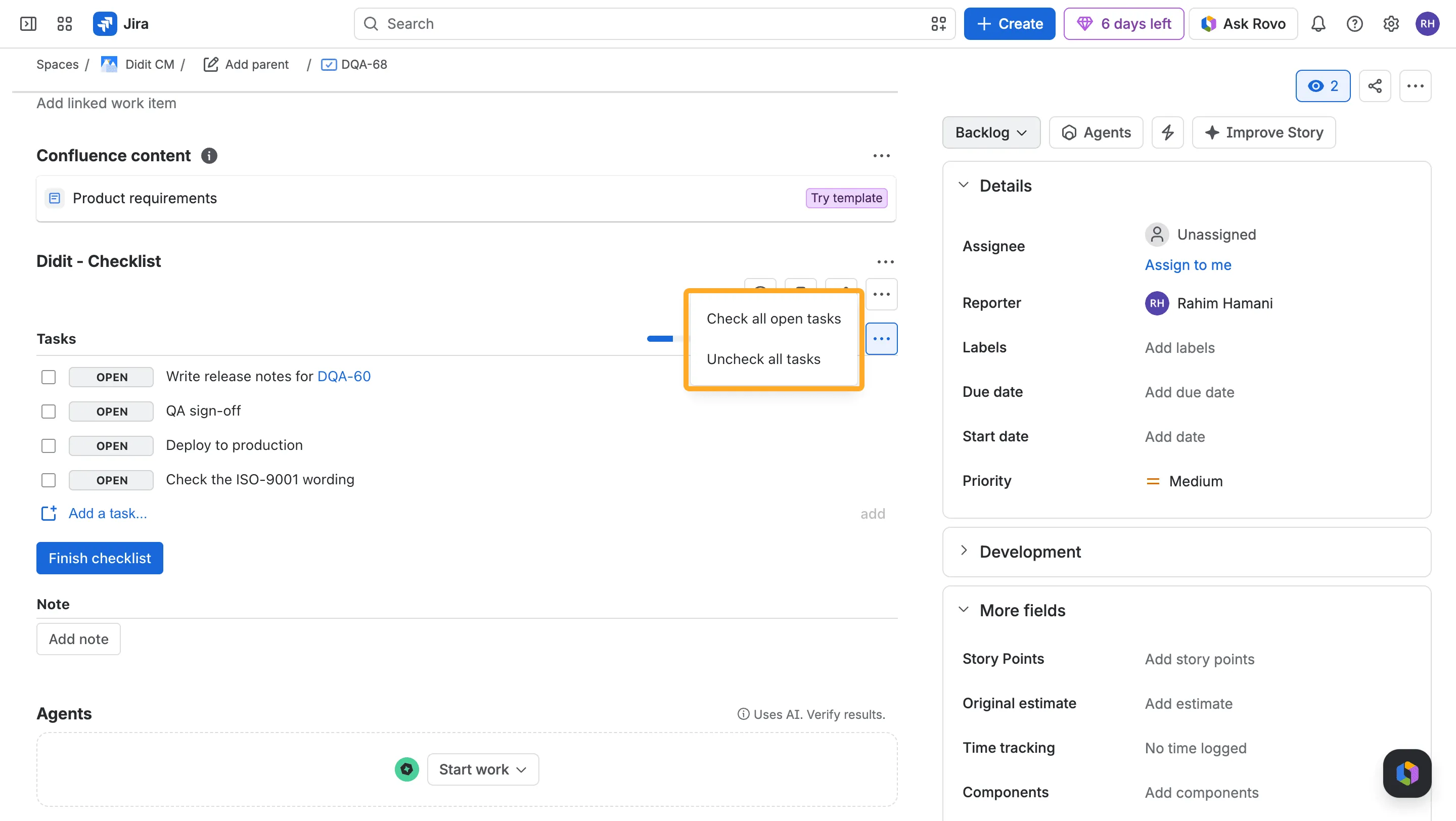
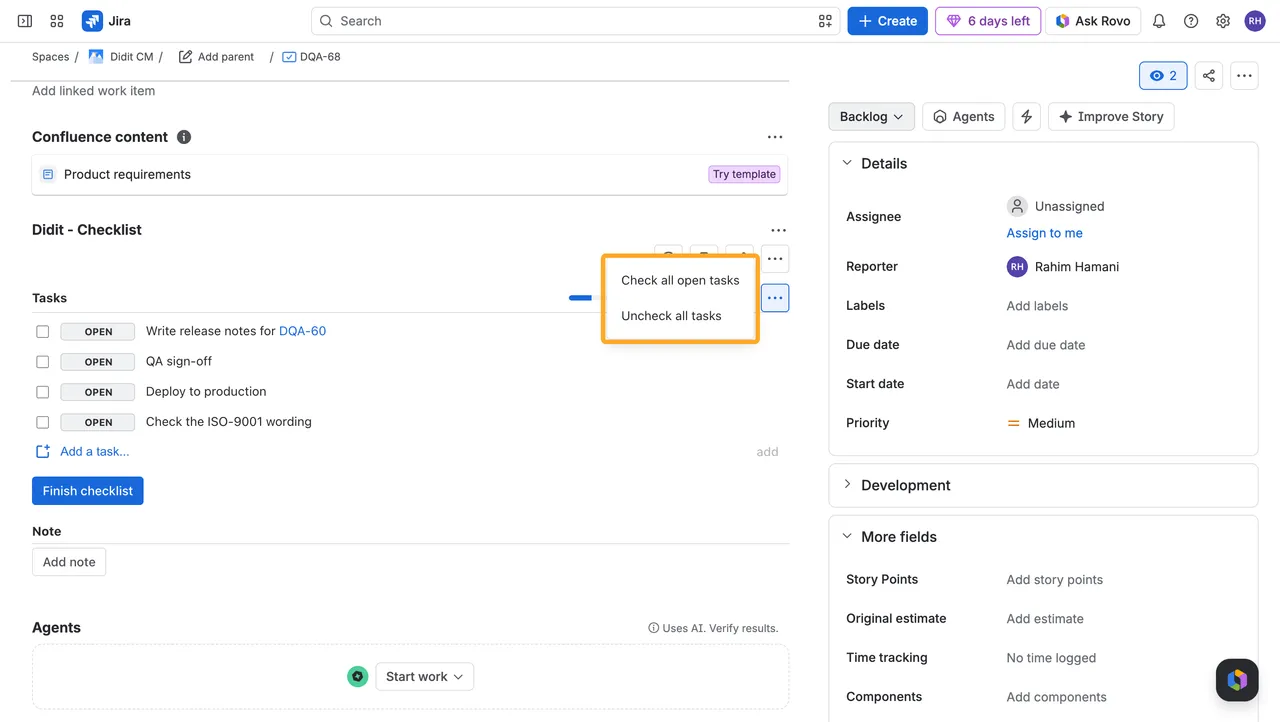
Click the ”…” above the tasks.
-
Choose “Check all open tasks” or “Uncheck all tasks.”
Didit asks you to confirm before it unchecks tasks, and before checking finishes a checklist that can’t be reopened.
What changes
| Check all open tasks | Uncheck all tasks | |
|---|---|---|
| Open tasks | Checked | Stay open |
| Checked and skipped tasks | Stay as they are | Open again |
| Yes/No questions | Stay open for a person to answer | Answers are cleared |
| Notes and pictures | Stay | Stay |
The audit log records one entry for the whole change.
Good to know
Can I uncheck the tasks of a finished checklist?
Reopen it first. A finished checklist can’t be changed.
Does checking all tasks finish the checklist?
Only if the checklist finishes automatically and nothing else is missing. Otherwise click Finish as usual.
What about mandatory tasks?
Check all open tasks checks them like any other task. Unchecking opens them again.