Finish checklists automatically
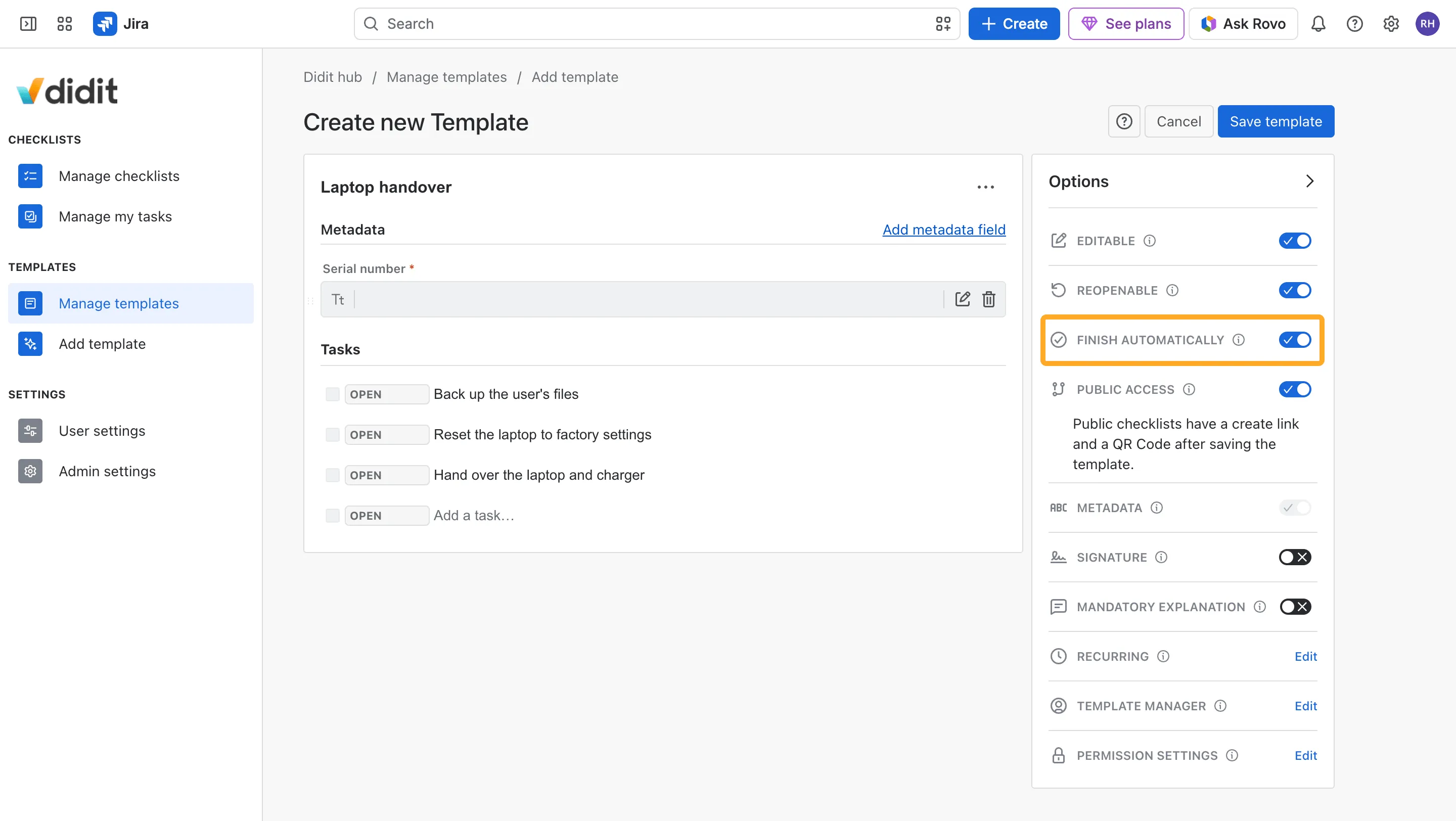
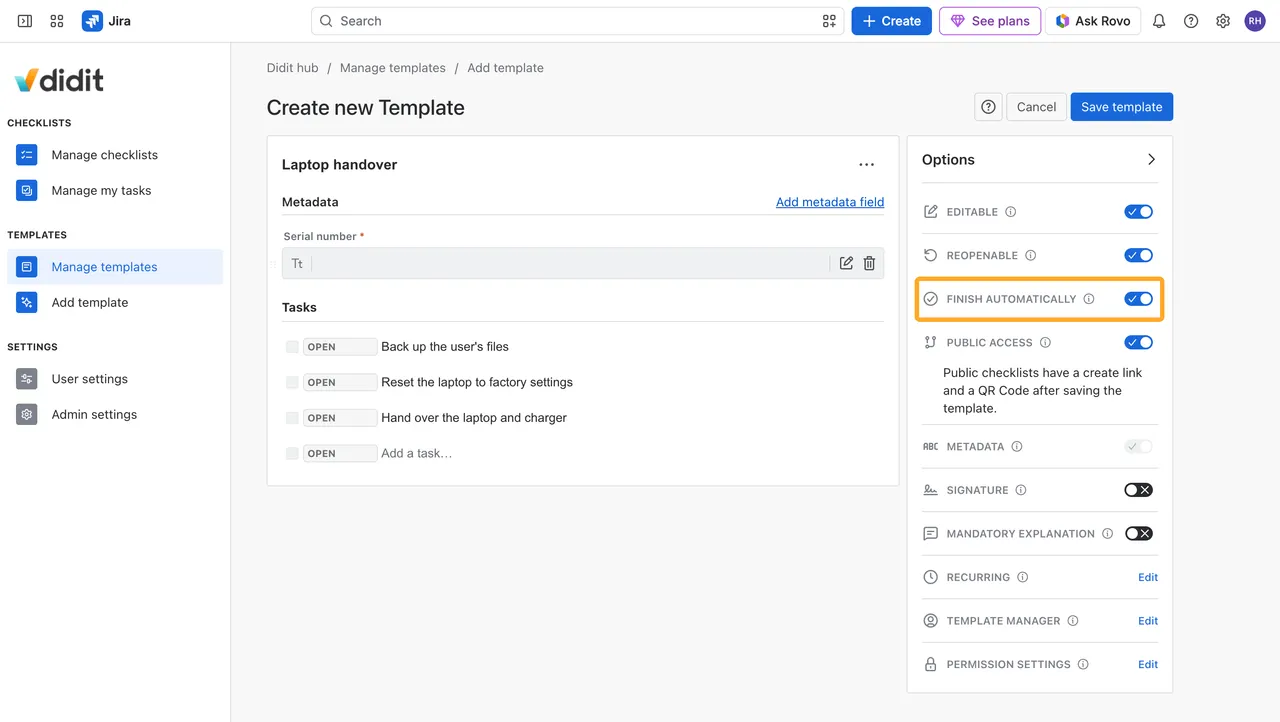
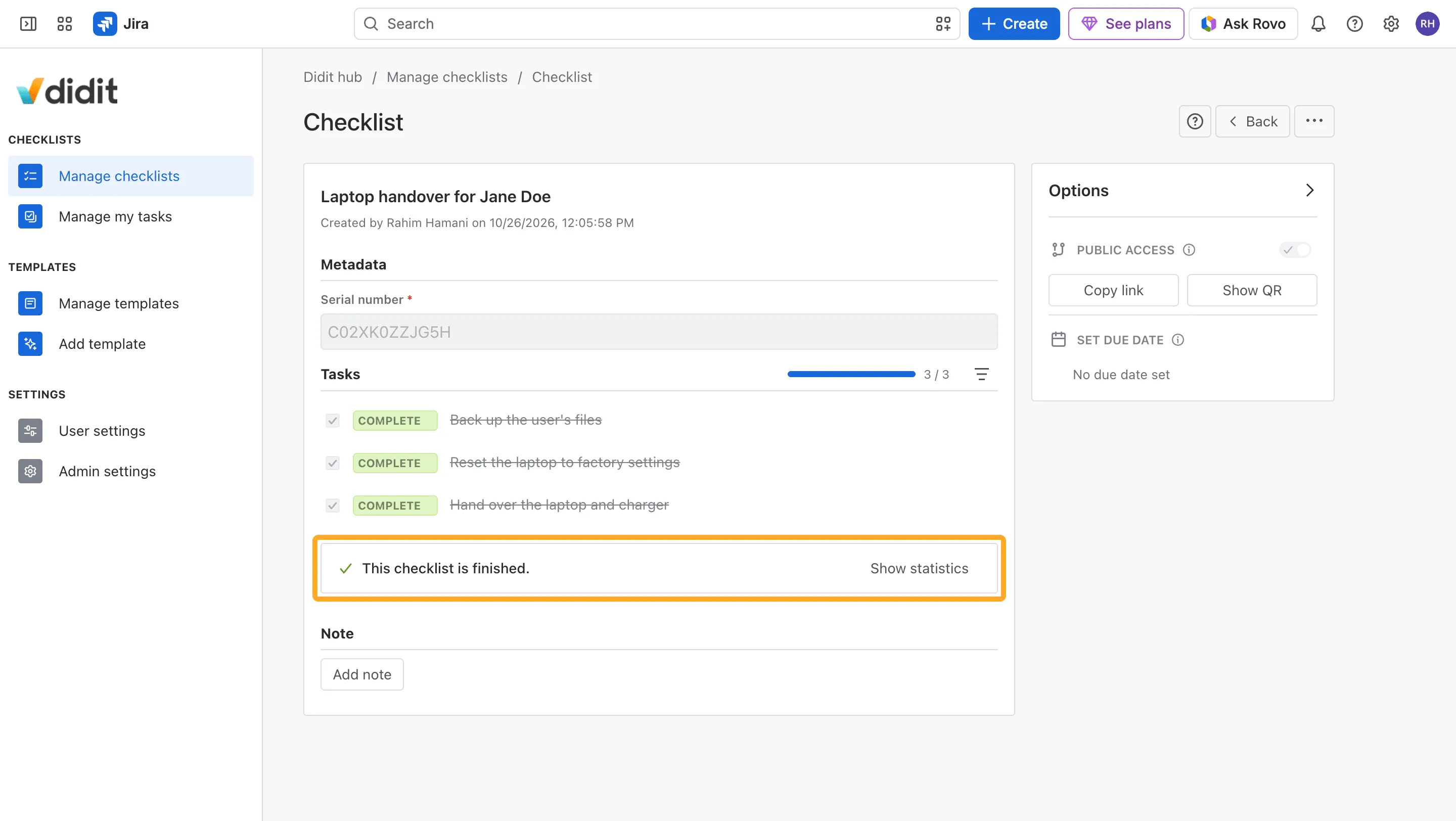
A checklist can finish itself. As soon as every task is checked or skipped, Didit finishes it, so nobody has to click a Finish button. The template’s Finish automatically option decides, and it’s on for every new template.
Turn it on or off
-
Open the template and find Finish automatically under Options.
-
Switch it on or off and save the template.
New checklists from the template follow the setting. Checklists that already exist don’t change.
Templates you already have keep their Finish button until you turn the option on.
When a checklist finishes
A checklist finishes on its own once:
- every task is checked or skipped,
- every mandatory field is filled out, and
- every task answered “No” has a note or an image, if the template has Mandatory explanation on.
Until then it stays open and points to what’s missing.
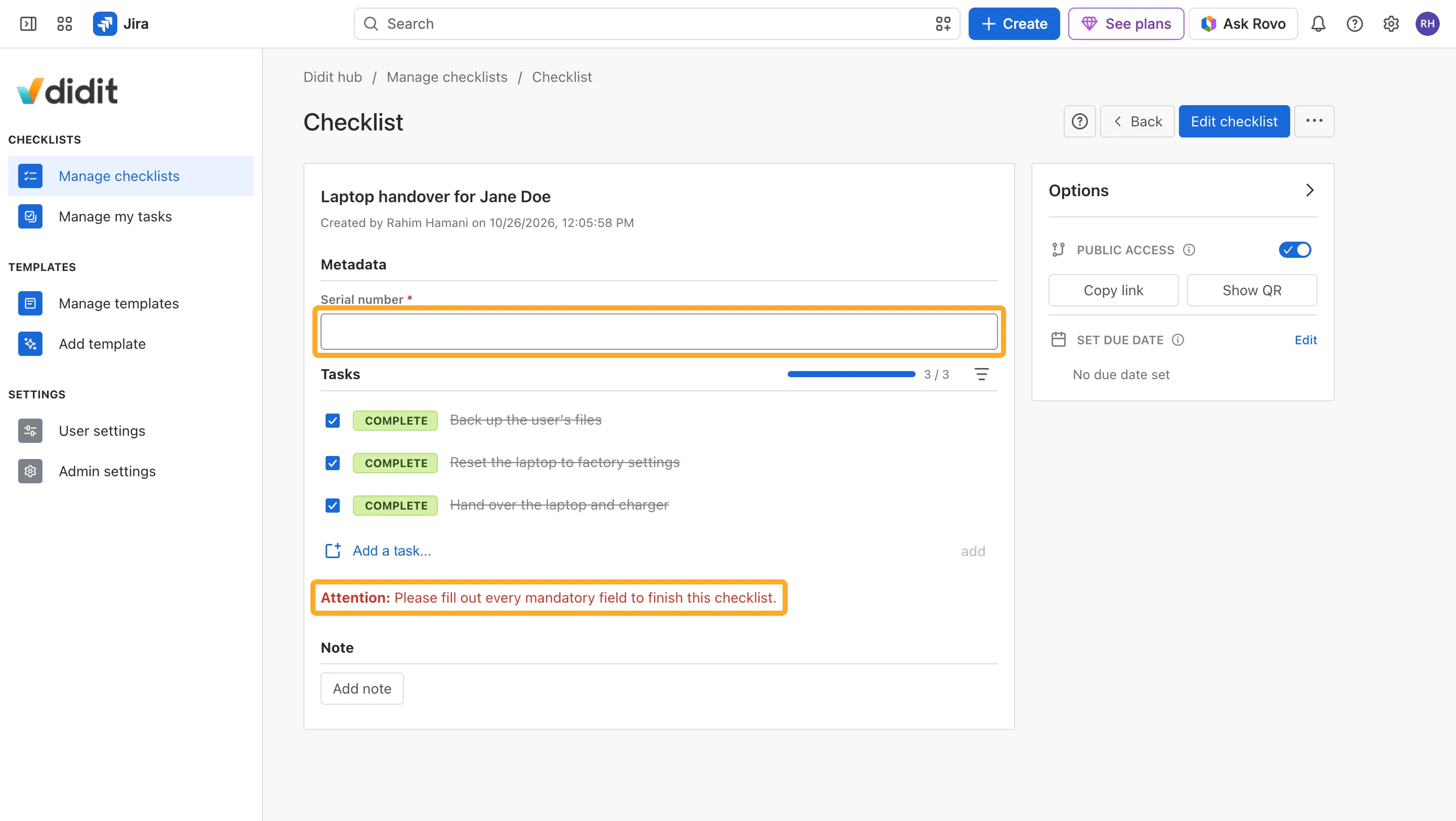
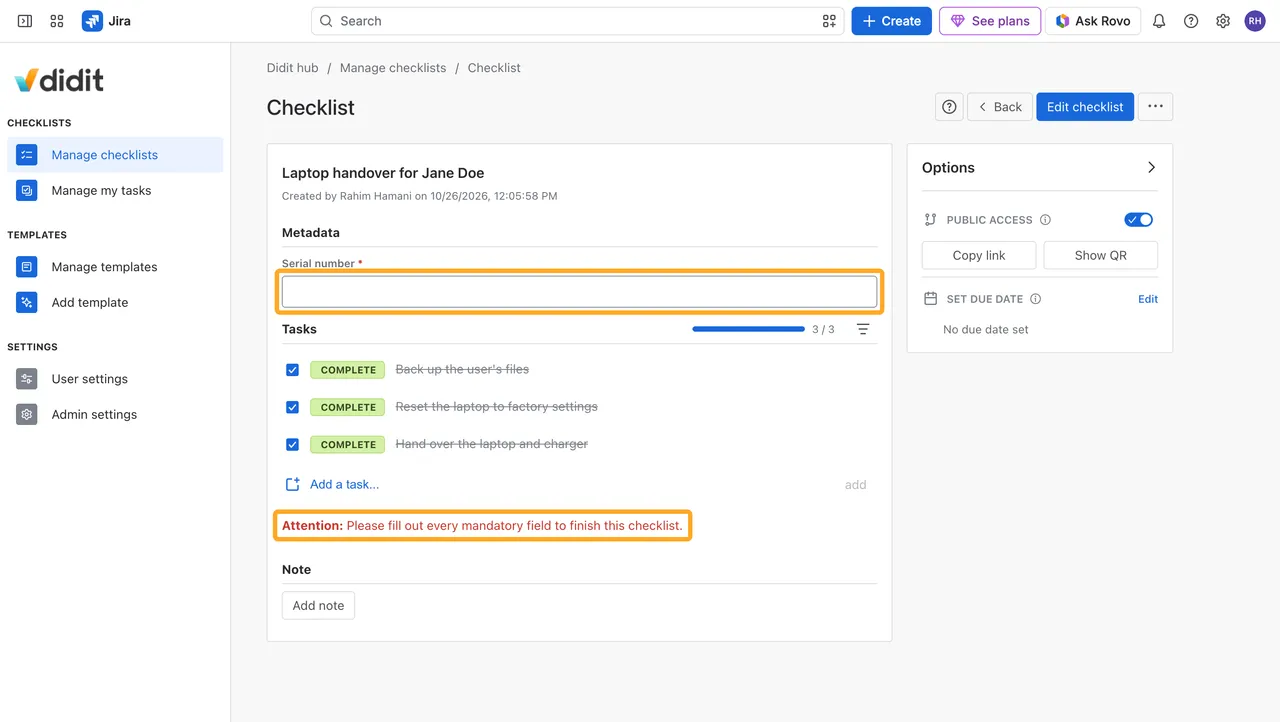
Fill it out, and the checklist finishes as soon as your entry is saved. You still get the confetti, and the checklist is finished just like one finished with the button.
Good to know
What about checklists that need a signature?
Signing finishes them. While a template requires a signature, Finish automatically is locked.
What happens when a checklist is reopened?
A reopened checklist gets its Finish button back and finishes again only when someone clicks it.
What if a checklist can't be reopened?
It shows a warning while it’s open: “This checklist finishes as soon as its last task is done. No further editing will be possible!”
Do ad hoc checklists finish automatically?
Yes. Checklists you create in Didit without a template finish automatically too.