How to turn mention emails on or off
Jira admin permission is required in order to follow this how to article.
When someone is mentioned in a checklist that is linked to a work item, Jira emails them. The same switch covers the email to people who are assigned a task. It is on by default.
-
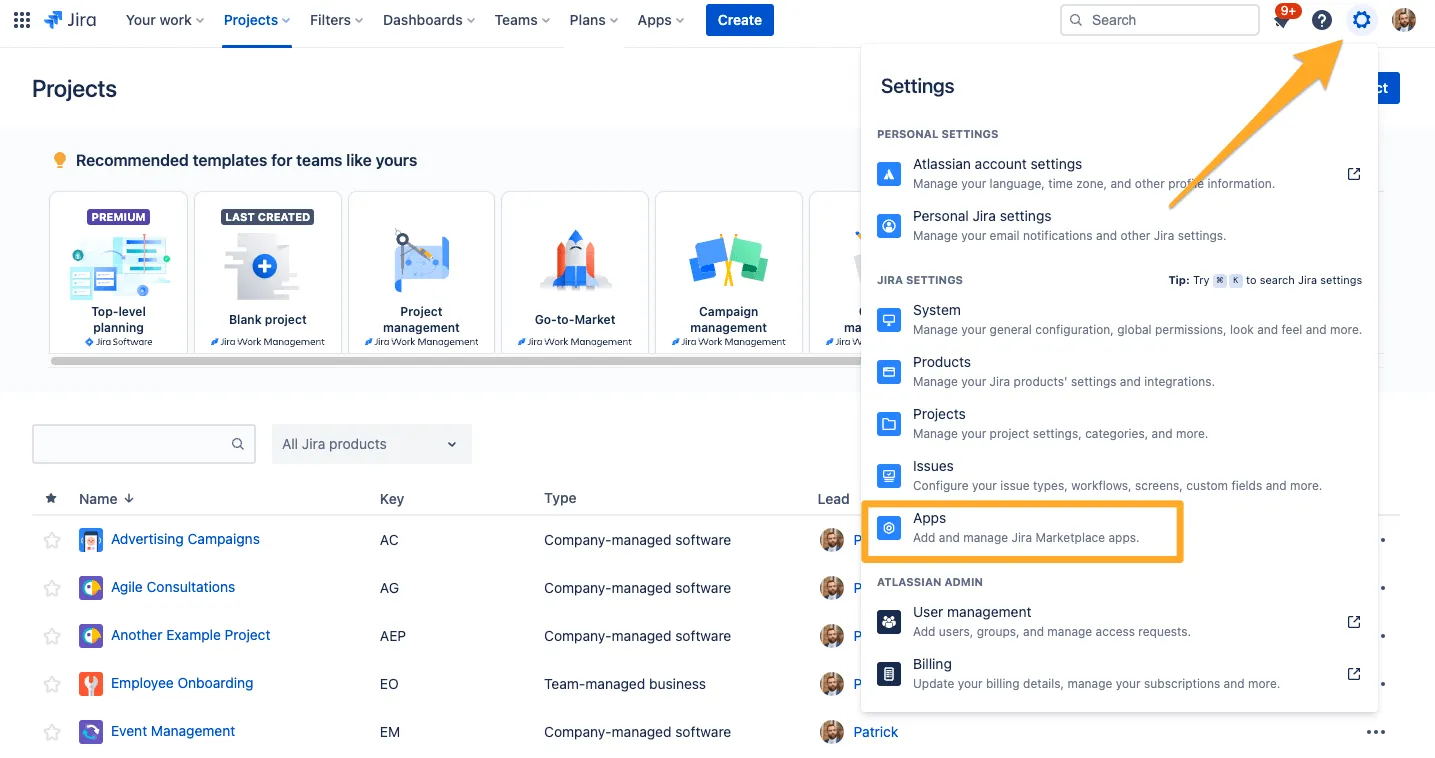
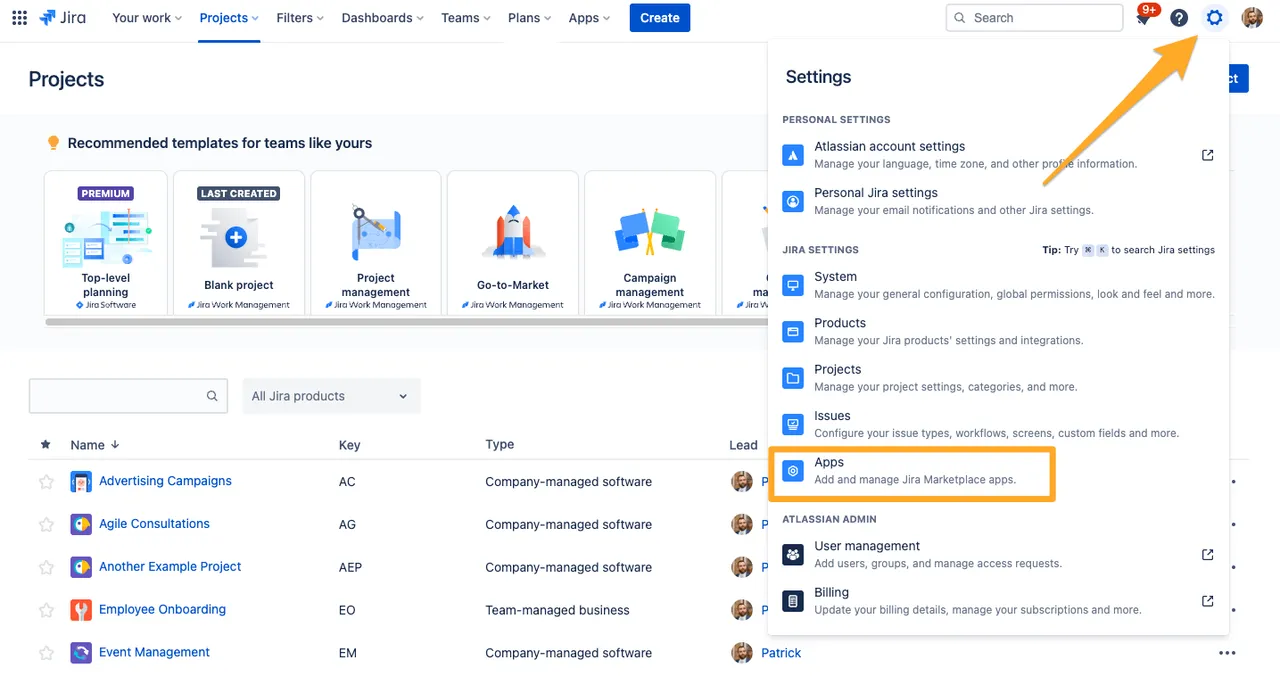
Navigate to your Jira site’s admin “Apps” section.
-
Choose “Settings” under “Didit - Checklists” in the left sidebar.


-
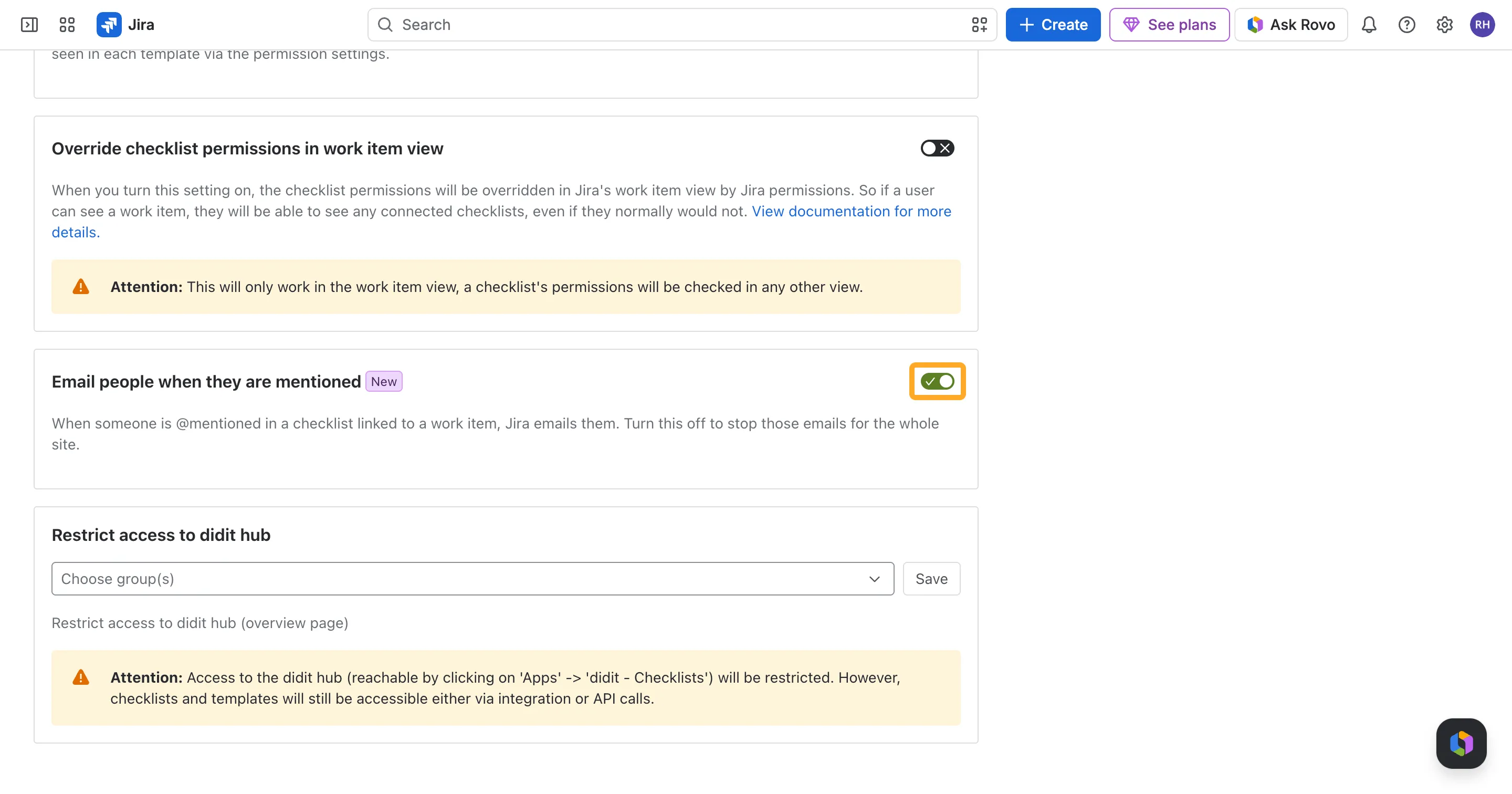
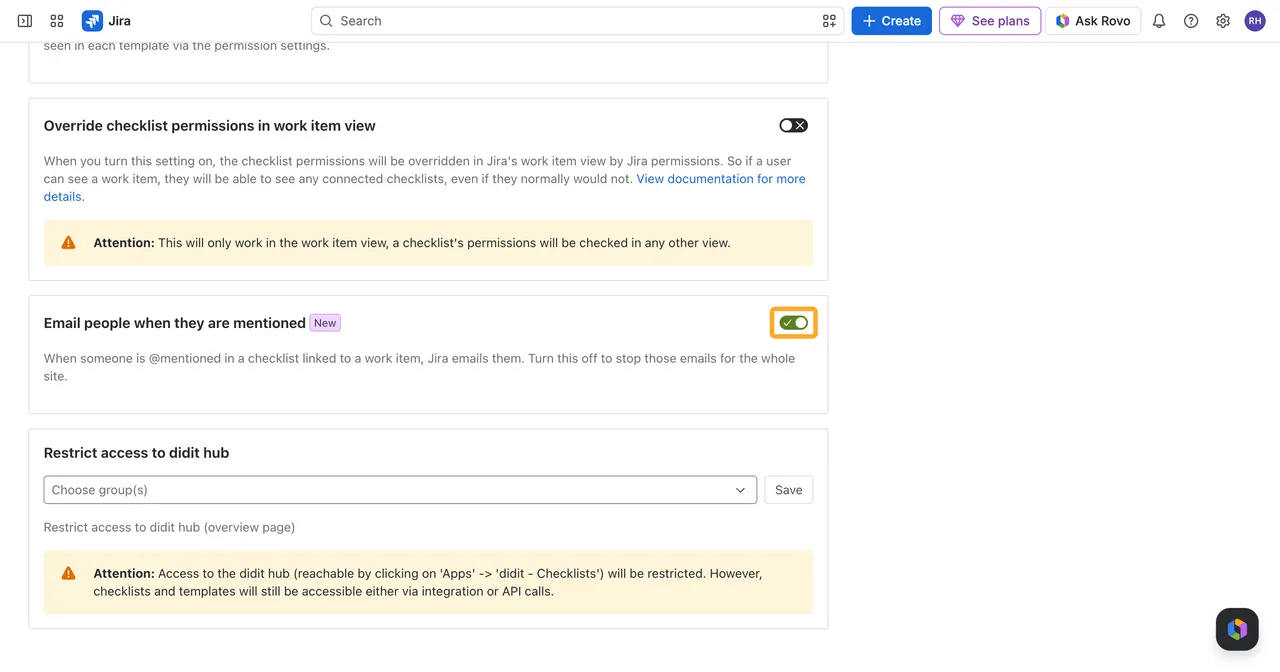
On the “Global settings” tab, switch “Email people when they are mentioned” on or off.
The change applies to the next mention straight away. Turning the email off doesn’t remove anything else: the names in checklists, the Manage my tasks page and the Checklist mentions and Checklist assignees fields in Jira keep working.
Confluence checklists never send mention emails, so the switch only exists in Jira.